How to Log In to Tekkabuzz
If you have already registered – you can login to your Tekkabuzz account either on the official website or mobile app. This article will show you the login steps you need to follow, it will discuss the common login problems users may face, show you how to recover your password and access you account and finally provide you with information about the safety and security of your account.
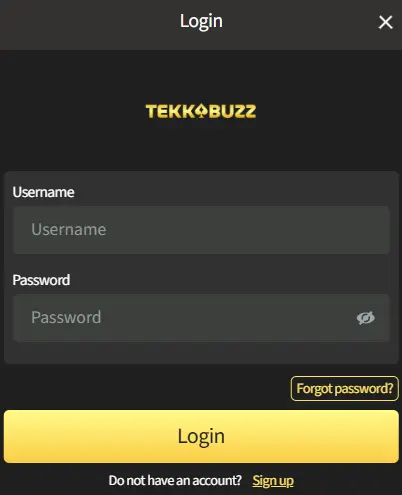
Login steps
- Open the Tekkabuzz website or mobile app
- Click Login
- Enter your registered username and password
- Confirm to access your account
Once logged in, you are directed to your account dashboard, where you can play casino games, access betting markets, access the payments section and your account settings.
Common Login Problems and Solutions
Login issues are usually related to entering the login credentials although we are often sure that we have entered them correctly, but can also be related to account verification status, or user access restrictions. Lets explore some of the key checks you need to do if you cannot login to your Tekkabuzz account.
If you cannot log in:
- Double-check that your username and password are correct
- Check keyboard settings, including language and caps lock
- Confirm that your account is not pending verification
- Make sure access is not restricted due to location
If you fail to enter correct login details a number of times you may experience a temporary lock to your access for security reasons.
Password Recovery and Account Access
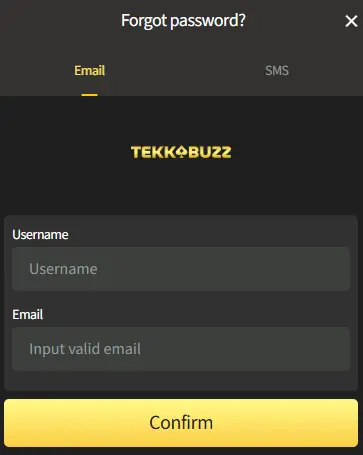
If you forget your password, Tekkabuzz provides an account recovery option on the login page.
Password recovery typically involves:
- Submitting your registered contact details
- Verifying your identity
- Resetting your password securely
If automated recovery does not resolve the issue, customer support can assist you.
Sign in With Security Safety
For your safety Tekkabuzz applies security measures to protect user accounts. These include encrypted login sessions, account monitoring for unusual activity and verification checks when required. Users are responsible for keeping their login details private and secure.
Have You Registered for a Tekkabuzz Account?
If you are still having problems logging in and the Tekkabuzz platform does not recognize your login credentials it may be that something has happened along the way of your registration and the account was not created.
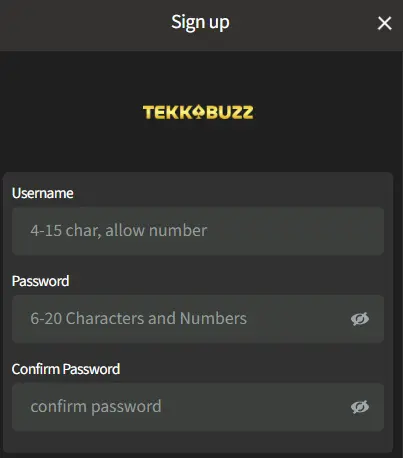
Try to submit your registration to Tekkabuzz again. For more information about how to register for a new Tekkabuzz account you can visit our Registration section.